
Blog / Guides
Kulture Radio in your browser toolbar
One click to tune in, from any tab. The new Kulture Radio extension for Chrome, Edge, Brave and Firefox.
 Words by Kulture Admin19 Nov 2026 · 3 min read
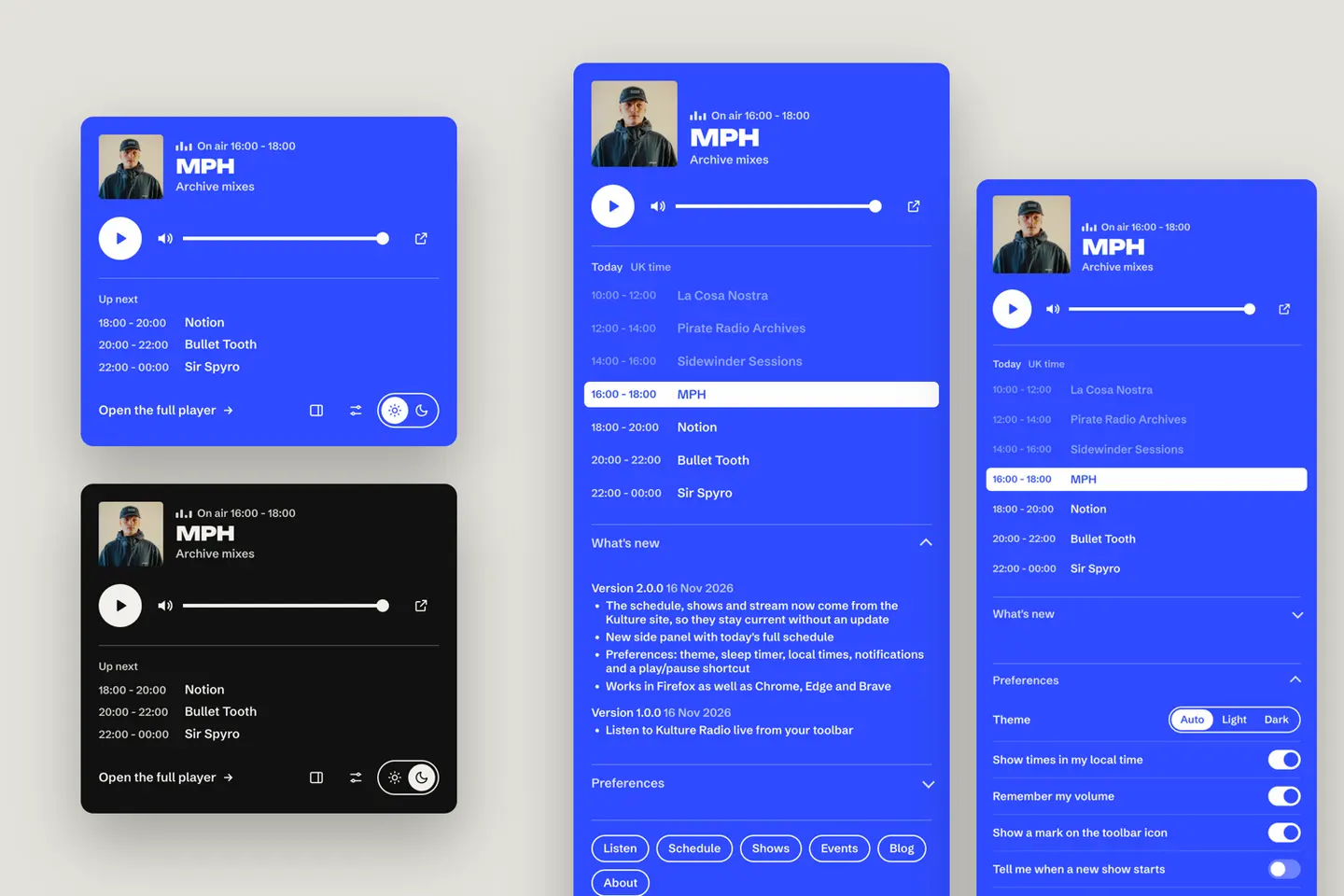
If Kulture is on in the background while you work, you shouldn't need a tab for it. The Kulture Radio extension puts the station in your browser toolbar: one click to play, and it keeps going while you carry on with everything else.
What you get
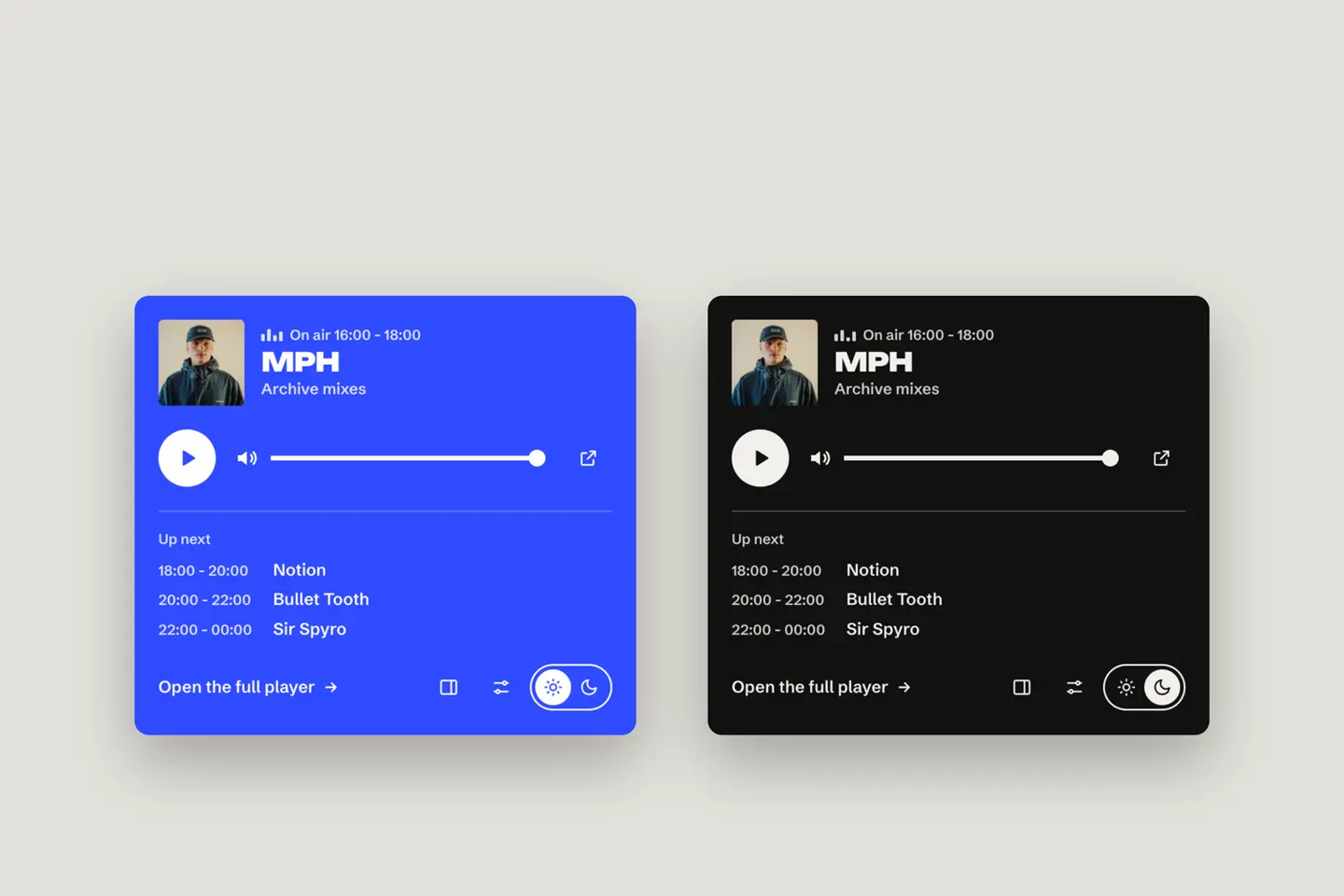
- A player in your toolbar. Press play, check what's on and what's next, change the volume, and close it. The music carries on.
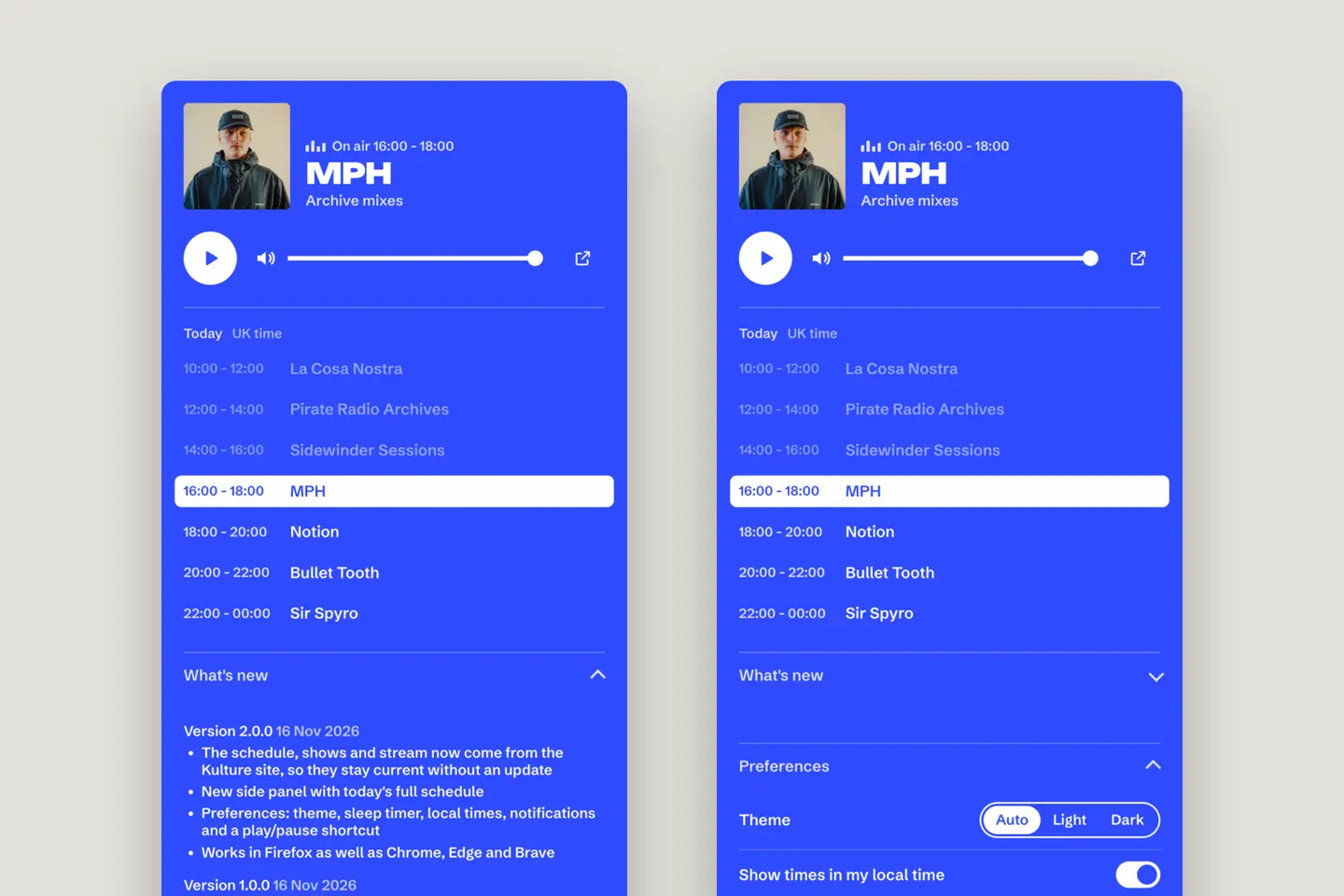
- A side panel. Open it for today's full schedule with the live show highlighted, what's new in the extension, and your preferences.
- Always current. The schedule, shows and stream come straight from this site, so when we change a slot or add a show, the extension changes with it. No update needed.
- Light and dark. Follows your browser, or pick one.
Add it to your browser
Chrome, Edge and Brave
- Open the Kulture Radio page in the Chrome Web Store and choose Add to Chrome.
- Confirm the pop-up.
- Click the puzzle-piece icon in your toolbar and pin Kulture Radio, so it's always one click away.
Firefox
- Open the Kulture Radio page on Firefox Add-ons and choose Add to Firefox.
- Confirm the pop-up.
- If the icon isn't showing, right-click the toolbar, choose Customize Toolbar and drag Kulture Radio on.
Make it yours
Open the side panel from the button in the player, or right-click the icon and choose Options. You can:
- switch between light, dark or automatic
- see show times in your own time zone
- set a sleep timer, so it stops by itself
- get a notification when a new show starts
- set a keyboard shortcut to play and pause (it starts as Alt+Shift+K)
- choose whether to share anonymous usage stats
Questions
Does it cost anything? No.
What does it collect? Nothing that identifies you. It asks once whether you'd like to share anonymous usage stats, like how often the player is opened, and it's off unless you say yes. You can change your mind in the preferences. Your settings stay in your browser.
Something not working? Email us at hello@kultureradio.com and tell us your browser and what you saw.
- Guides
- Station
- Browser extension
- Chrome
- Firefox
Kulture AdminNews, guides and stories from the Kulture team.More from Kulture